1 - Introduction ~5 mins
Welcome
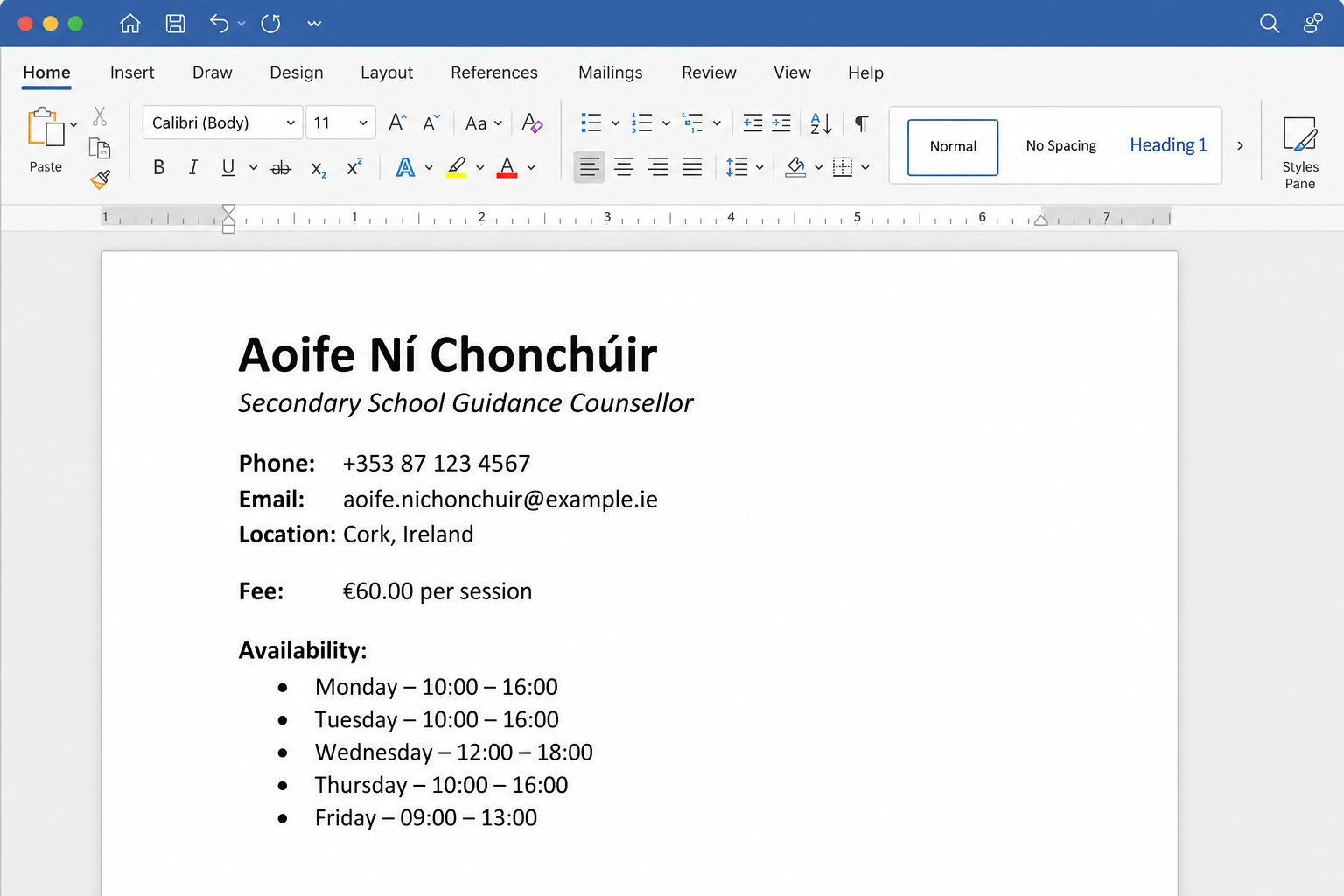 Irish names, euro prices, and clean professional punctuation all need characters that are not sitting on a plain letter key. Today you will insert fadas, the euro sign, and typographical marks so the documents you write for the real brief, business or placement you are working on in this unit look finished rather than improvised.
By the end of the class you will be able to put accented letters, currency symbols and typographical marks into a document, find them with the symbol tools and any shortcut your device supports, and use at least six of them correctly on a practice page of your own.
Messy or finished? Compare these two lines. A line that uses a plain e, a typed hyphen and EUR looks careless beside the same line with é, an en dash and €.
Warm-up
Think of one word connected to that project of yours that needs a special character. If nothing springs to mind, pick one of these fallbacks and keep it ready:
- an Irish contact name with a fada (for example a supervisor or customer)
- a euro price from Work Experience or a side hustle
- a Monday–Friday hours or date range that should use an en dash
You will use that idea on your own practice page later.
What you save today: before you leave, your own page {{code:sm1_special_characters}} should be sitting in {{code:09_specialism/sm1/}}. You finish it in class today rather than at home.
2 - Key Concepts ~4 mins
Read the sample page first, then the three ideas that unlock it.
Sample special-characters page (worked example)
In the guided task you will rebuild only the core block below (names with fadas, euro, en dashes) for a fictional Work Experience student. Your independent practice page will use your project. The later marks are stretch extras, not part of the guided rebuild.
Your Something Real project is the real brief, business, or placement you are building documents for in this unit. Use a real contact, price, or hours line from that work, not Aoife's story.
Project contact note: sample
CORE (guided rebuild stops after Hours)
Student: Aoife Ní Bhraonáin
Supervisor: Seán Ó Murchú
Placement rate: €11.30 per hour
Hours: Monday–Friday, 09:00–13:00
Core marks you will insert in the guided task: í, á, ó, ú, €, en dash (–)
LATER (independent practice stretch only)
Supervisor note: “Aoife is reliable and learns quickly…”
Notice: © 2026 Aoife Ní Bhraonáin: for portfolio use only
Also useful later (optional): curly quotes (“ ”), ellipsis (…), copyright (©), é in other Irish words
| Concept | Why it matters | Example |
|---|---|---|
| Accented characters (fadas) — letters with marks such as á, é, í, ó, ú used in Irish names and words | Spelling someone's name wrong signals carelessness before they read the rest of your document | Writing Seán Ó Briain correctly on a Work Experience contact page or CV header |
| Currency symbols — marks such as €, £, and $ that stand for money units | Readers scan money lines fast; the right symbol makes a budget or rate unambiguous | A side-hustle price list showing €12.50 instead of EUR 12.50 |
| En dash and smart punctuation — the en dash (–) for ranges, plus curly quotes and similar polished marks | They make schedules and quotes look intentional rather than typed with the nearest key | Hours written as 09:00–13:00 with an en dash, not a plain hyphen |
When you do not know a shortcut, Insert Symbol (Word Online) or Special characters (Google Docs) still gets the exact mark you need.
3 - Step-by-step Task ~18 mins
Rebuild the core of the sample Project contact note: Irish names with fadas, a euro rate, and en dash ranges. Save it as the guided sample file. Curly quotes, ellipsis and © are optional stretch on your own project page later, not part of this rebuild.
4 - Common Issues ~3 mins
Common Issues
| Issue | Solution |
|---|---|
| I cannot find the symbol I need in the list | In Google Docs, use the search box or draw the shape. In Word Online, scroll the Symbol list or search if a box appears; try names such as euro, en dash, acute, ellipsis, copyright. |
| My keyboard shortcut does nothing | Layouts differ, and browser apps often ignore desktop-Word shortcuts. Confirm you followed only your OS row, then fall back to Insert Symbol / Special characters. AltGr (right Alt) is often required for € on Irish Windows keyboards. |
| I typed a hyphen (-) but it still looks wrong in a time range | Replace it with a true en dash (–) from the symbol list. Hyphens join words; en dashes mark ranges such as 09:00–13:00. |
Stretch tip (optional marks later): in Symbol / Special characters, search {{code:ellipsis}}, {{code:copyright}}, or {{code:left double quotation}} when you want …, ©, or curly quotes on your own page.
5 - Independent Practice ~20 mins
Independent Practice
1. Replace the heading and people lines with real details from your Something Real project (or Work Experience). If your own name has no fada, use one of these fallbacks: an Irish contact name with a fada, a local place name, or an Irish product/menu word from your project.
2. Insert € on a real price, rate, or budget line. If you do not have a real figure yet, use a realistic euro price from Work Experience or a side hustle and label it clearly.
3. Fix at least one range (hours, dates, or Monday–Friday) with a true en dash. You can reach six or more special characters by using several fadas and en dashes for real reasons on the page. Optional stretch: add curly quotes, an ellipsis, or © if you want extra polish.
4. Add a short line at the bottom listing the characters you used and whether each came from the symbol dialog, a shortcut, or both.
How to insert optional stretch marks (Symbol / Special characters search):
• ellipsis → search {{code:ellipsis}} for …
• copyright → search {{code:copyright}} for ©
• curly quotes → search {{code:left double quotation}} (and right) for “ ”
Aim for six or more correctly used special characters from the marks you practised (fadas, €, en dash). The symbol dialog alone is enough to pass; a working keyboard shortcut is a stretch if your device supports one.
- {{code:sm1_special_characters}} is saved inside {{code:09_specialism/sm1/}} and is clearly about your Something Real project (not a retype of the Aoife sample)
- At least six special characters appear, each used for a real reason (not dumped in a random list)
- Minimum mix present: at least one accented name or place/Irish word; one € amount; one true en dash in a range
- A short line at the bottom names which characters you inserted and roughly how (dialog, shortcut, or both)
If a shortcut misbehaves, ignore it and finish with the symbol tool — a clean project page beats a perfect shortcut streak.
Unlock the full learning experience
You're previewing this lesson. Get full access to this lesson and hundreds more — each one ready to teach, with interactive activities, printable resources and pupil progress tracking built in.
This lesson is copyright of 123Learn.ie 2017 - 2025. Unauthorised use, copying or distribution is not allowed.